This article explains how to print from Cornerstone. There are two different methods for connecting to Cornerstone. Windows Remote Desktop Connection or via any Web Browser, each method has its own method of printing.
Remote Desktop Connection
To Print from a Remote Desktop Connection, you will need to install the Uniprint - Printing Client.
Exit out of Cornerstone.
Navigate to Uniprint Web Site and download the Uniprint Client for the type of PC or Mac you have.
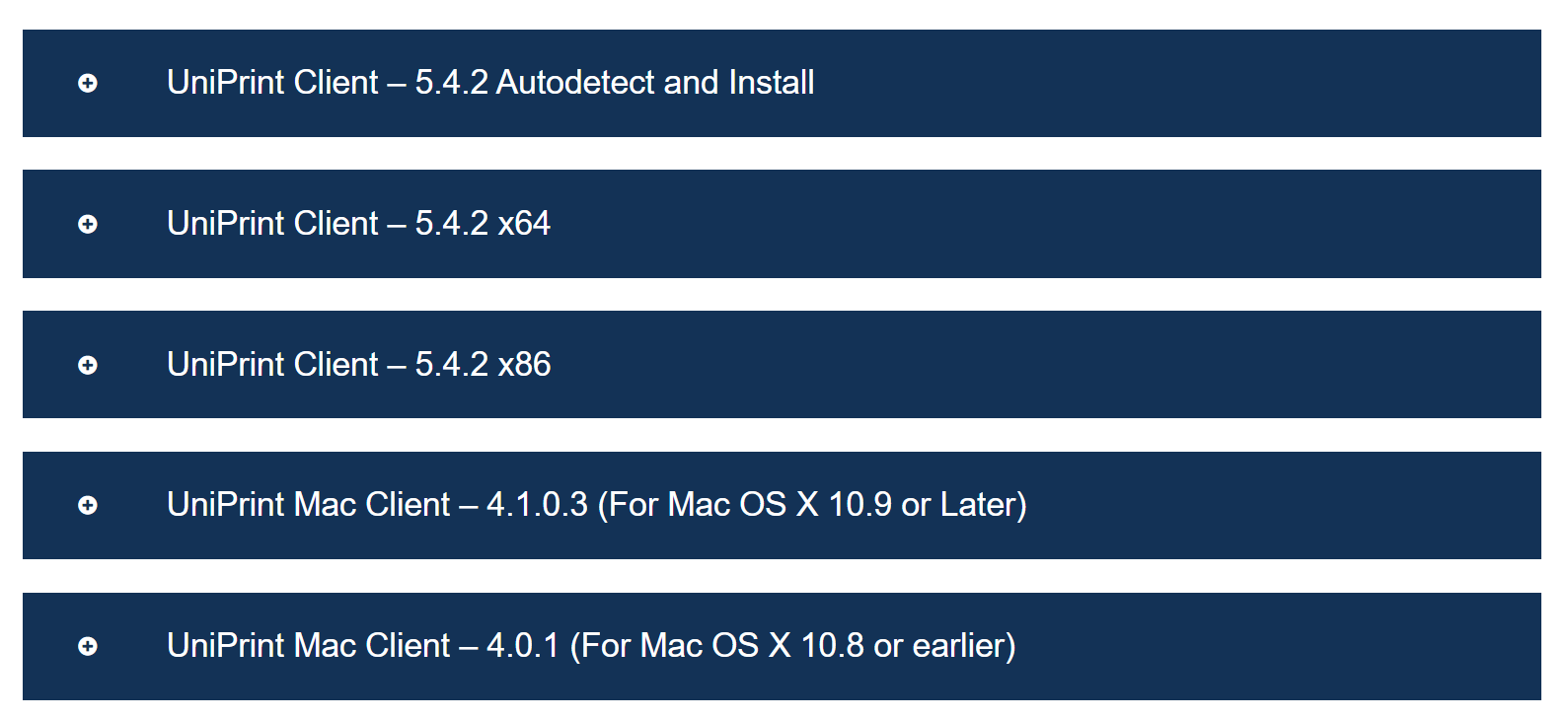
For most Windows PCs download the Uniprint Client x64 version.
Install the Uniprint Client.
Once installed click on the up-caret symbol on your task bar

You should now see a UP icon in your task bar.
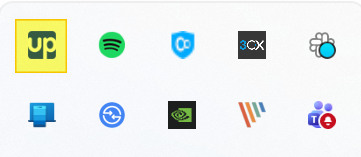
To configure Uniprint. Right Click on the UP icon and left click on Options
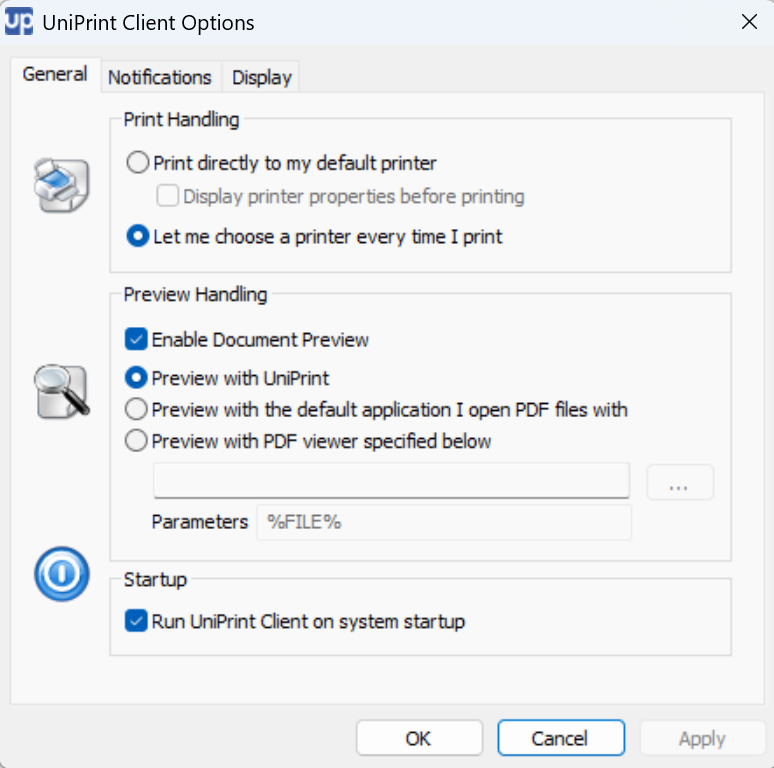
You can print directly to your printer
If you have multiple printers you may want to use the 'Let me choose a printer every time I print'
You can also enable the Document Preview option. This displays a preview window of your document and allows you to print or save the document to PDF.
Log back into Cornerstone and perform a test print of a support note or a report.
If you still can't print. Double check the printer set up in Cornerstone. Click File > Print Setup
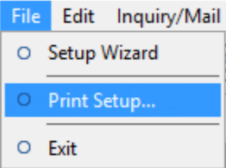
Make sure the Printer Name is set for UniPrint
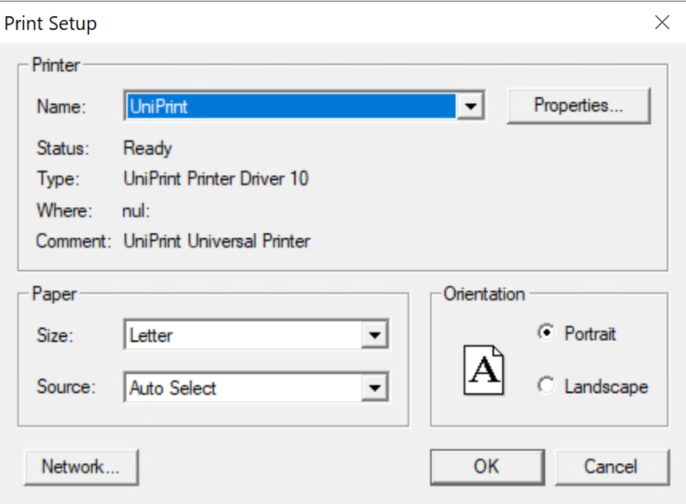
If you are still unable to print. Try restarting your computer and perform another print test from Cornerstone.
Web Browser Connection
Open your browser of choice. Google Chrome, Firefox, Microsoft Edge
Go to 'connect.cfibilling.com'
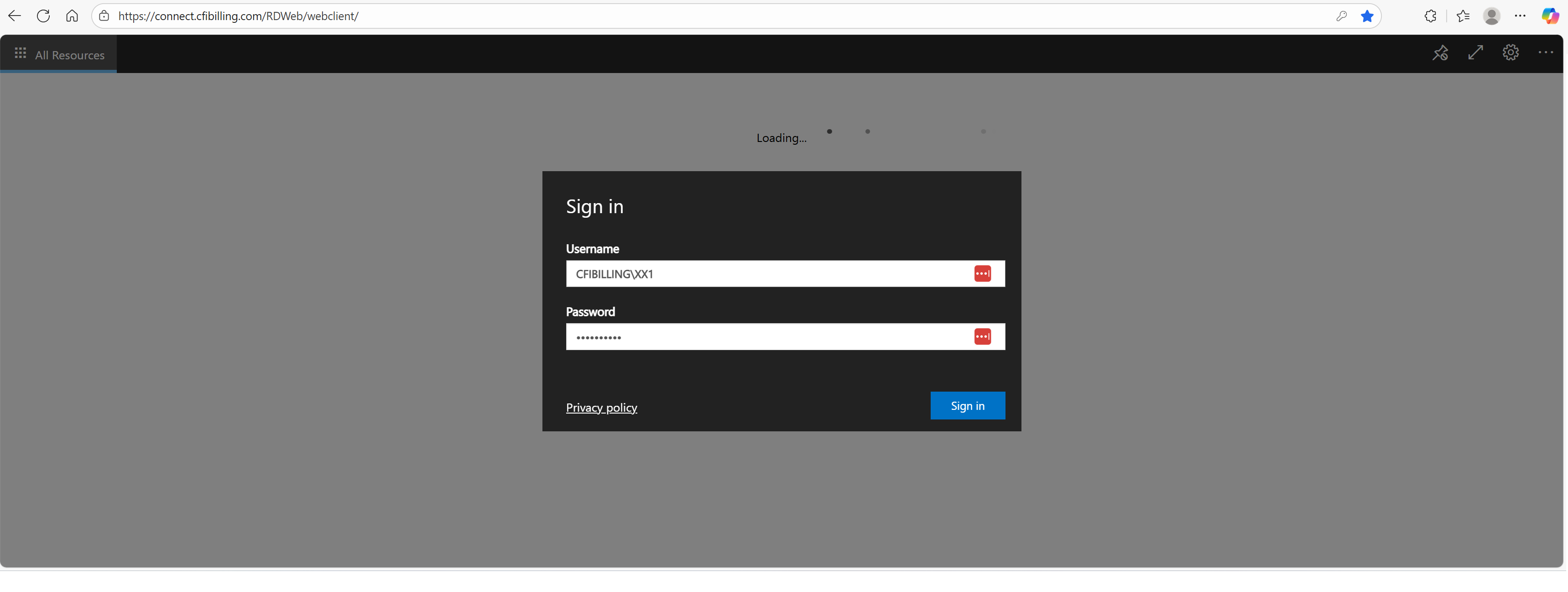
Enter your Username as: CFIBILLING\XX1 (where XX1 is your two-letter company code and your user number)
Enter your 'External' password
Click > Sign In
Once you have successfully signed in you will be shown a connection icon to Cornerstone.
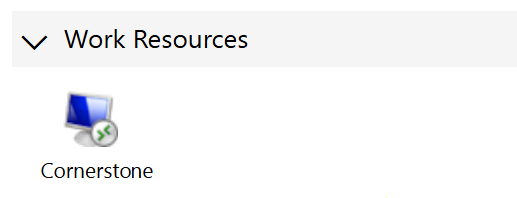
Click on the icon to connect.
If this is your first time connecting. You will receive a popup window asking for access to your local resources.
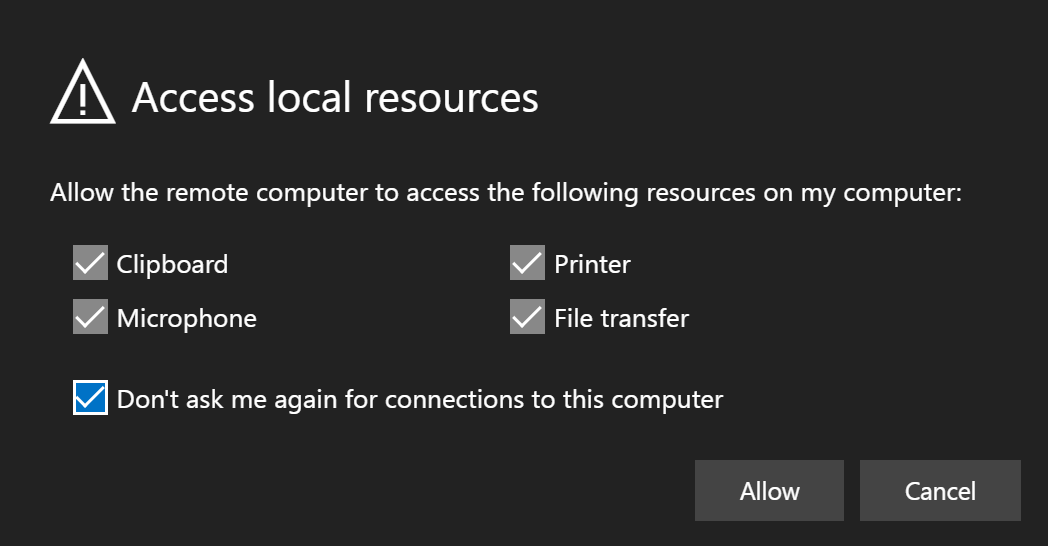
Put a check in 'Don't ask me again for connections to this computer'. Then click > Allow.
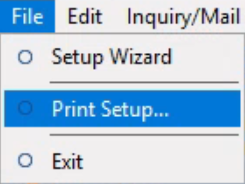
Once you have connected to Cornerstone. Click > File > Print Setup...
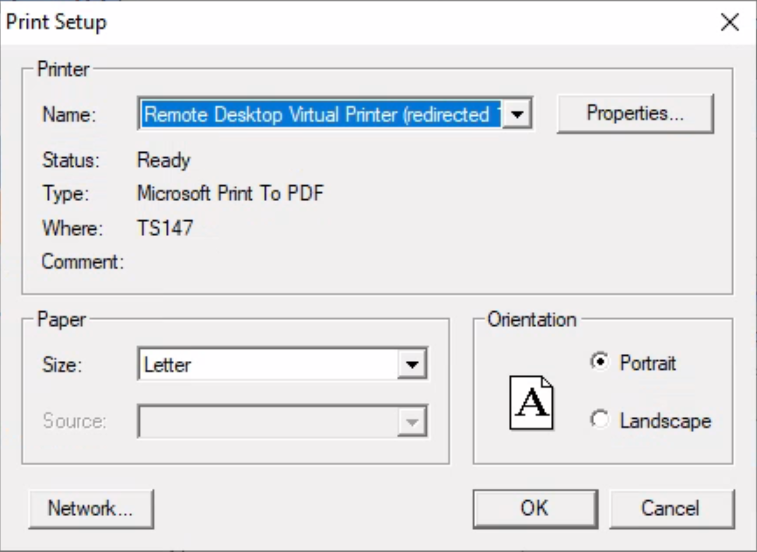
The printer should be set for 'Remote Desktop Virtual Printer (redirected)
When you print from Cornerstone. The browser will start download a file called 'Remote Print Job.pdf'
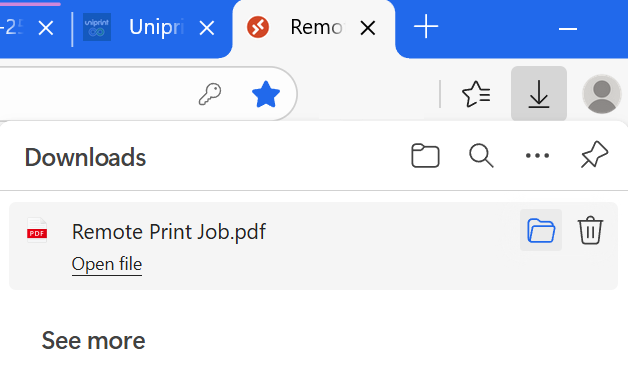
You can either open and print the PDF to your local printer or rename and store the PDF on your computer.
Need Help?
Still have questions? Contact Cornerstone Holding Co. 847-405-9517 or email us customer.success@alarmbills.com
Was this article helpful?
That’s Great!
Thank you for your feedback
Sorry! We couldn't be helpful
Thank you for your feedback
Feedback sent
We appreciate your effort and will try to fix the article