How do I know if an autopay invoice has been paid?
If an account is on autopay, the invoice history will display a future-dated invoice with a PAID status. This confirms the payment has been scheduled or processed automatically — no manual action is required.
How do I review payment details for an invoice?
Follow these steps from within the customer account to view full payment details for any invoice:
- Open Invoice History. From the customer account, click Invoice History.
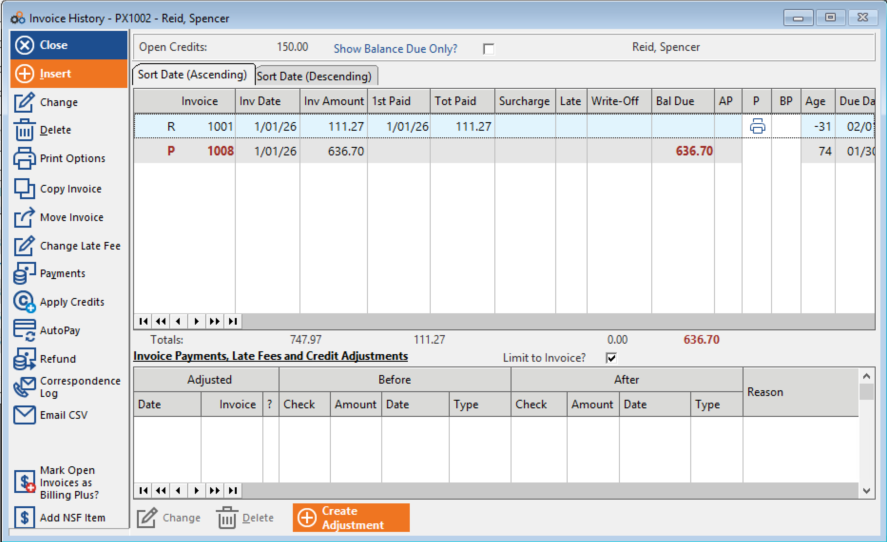
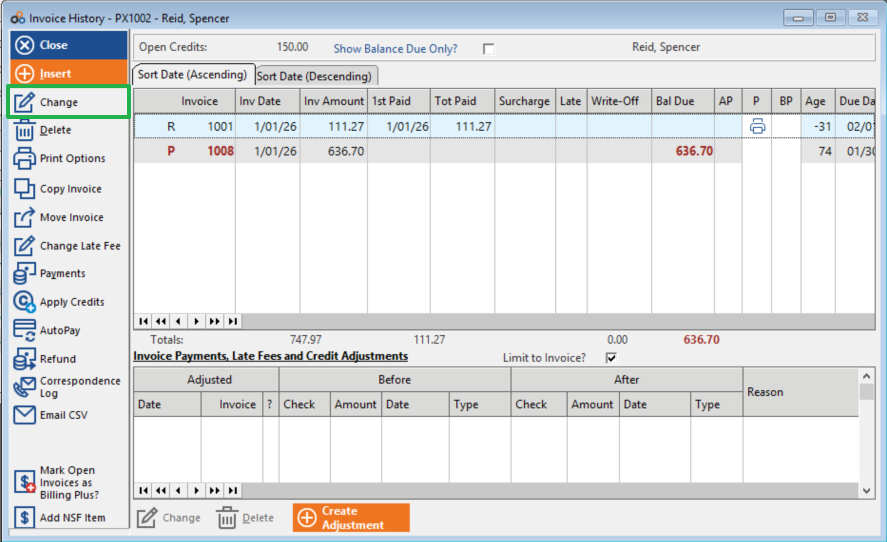
- Select the invoice. Highlight and click Change (or double-click) the invoice you wish to review.
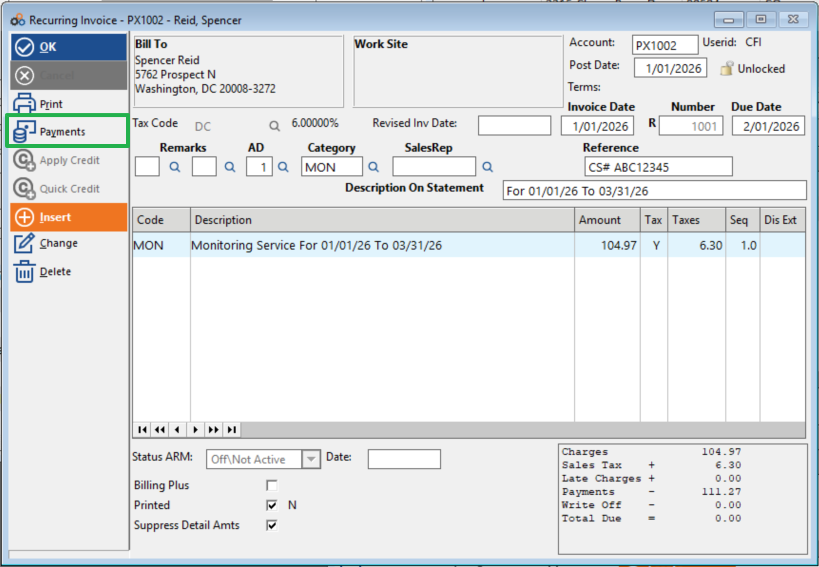
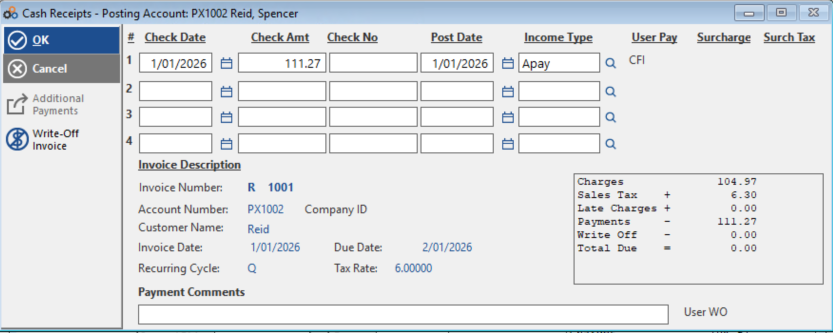
- View payment details. Click Payments to review the payment details for that invoice.
Need Additional Help?
Our Customer Success team is here to assist you.
Phone: 847-405-9517 x1
Email: customer.success@alarmbills.com
Copyright © 1999–2026 Cornerstone Billing Solutions. All rights reserved.
Was this article helpful?
That’s Great!
Thank you for your feedback
Sorry! We couldn't be helpful
Thank you for your feedback
Feedback sent
We appreciate your effort and will try to fix the article