Overview
In some cases, a dealer may want to store a customer's payment information for future service calls or product invoices, even though the customer does not have recurring monitoring (RMR).
Because the customer does not have recurring billing, the standard Autopay option is not available. A workaround can be used to securely save the customer's payment information for future use.
When This Is Useful
This workaround may be helpful when:
- A customer only purchases products and does not have monitoring.
- A customer receives occasional service calls and wants payment information saved for future invoices.
- The dealer wants to minimize the need to recollect payment information each time work is performed.
- The account has no recurring revenue but would benefit from having a saved payment method available in the customer portal.
Workaround: Using a $0.00 Recurring Code
Step 1: Add a Recurring Code
Add a recurring code such as:
Pay$Info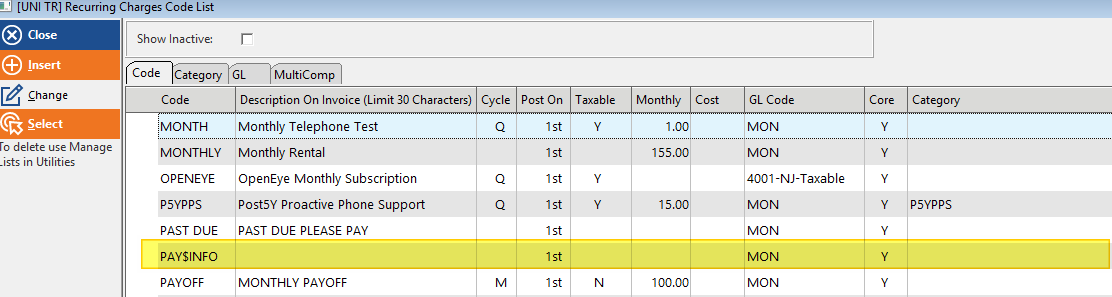
The recurring amount in this Code should default to:
$0.00
This recurring code is being used only as a placeholder to allow payment information to be stored.
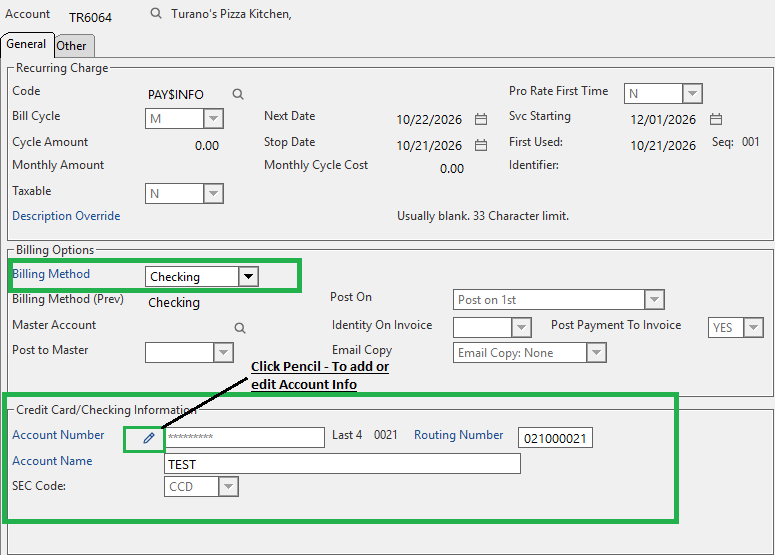
Step 2: Enter Payment Information
- Open the customer's recurring billing record.
- Select the payment Method.
- Choose Checking (or another applicable payment type).
- Enter the customer's payment information.
- Save the record.
Step 3: Verify
After saving:
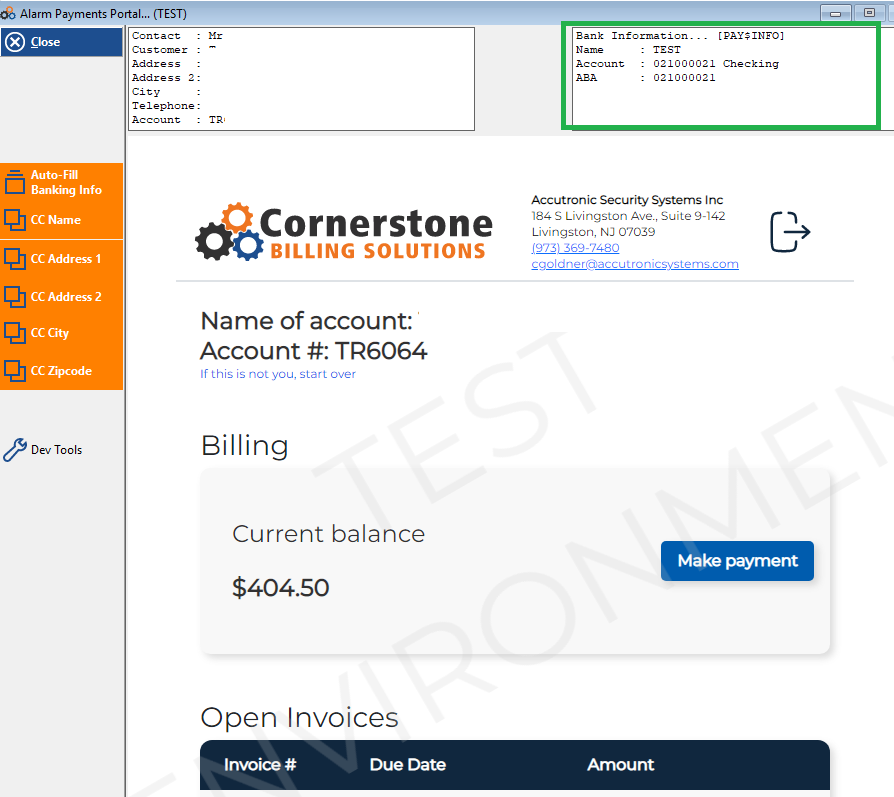
- Navigate to the customer payment portal.
- The saved payment information should now be available when processing future payments.
Expected Result
The customer will not be billed any recurring charges because the recurring code amount is $0.00, but the payment information remains available for future payment processing.
Notes
- Autopay is normally only available for accounts with recurring billing.
- This workaround should only be used when a dealer needs to save payment information for a non-RMR customer.
- The saved payment method can then be used for future service or product-related payments without requiring the customer to re-enter their information each time.
Example Use Case: A Customer does not have monitoring but wants a checking account stored on file for future service work. Adding a Pay$Info recurring code with a $0.00 amount allows the checking account information to be saved and reused later.
Was this article helpful?
That’s Great!
Thank you for your feedback
Sorry! We couldn't be helpful
Thank you for your feedback
Feedback sent
We appreciate your effort and will try to fix the article