Overview
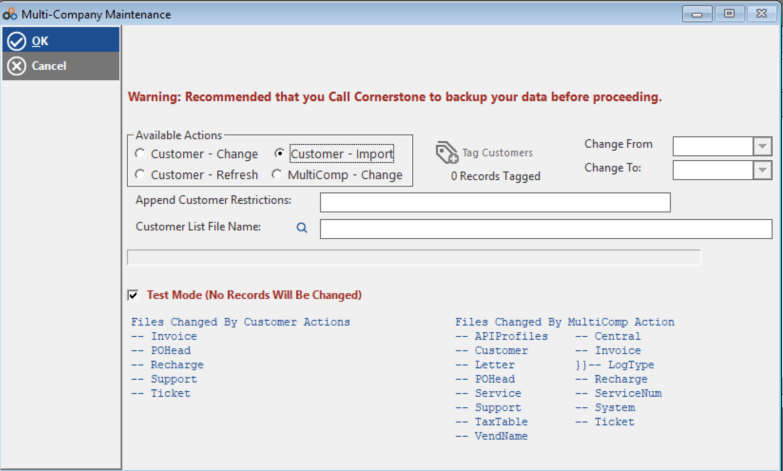
The Manage Multicomp Utility allows you to update or refresh customer Multicomp information in your system. This article covers how to access the utility, the four available functions for managing multi-company relationships and IDs, and the requirements for importing a CSV file.
How to Access
Follow these steps to open the Multi-Company Maintenance Utility:
- Navigate to the utility. Go to Utilities > Manage Multicomp.
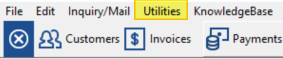
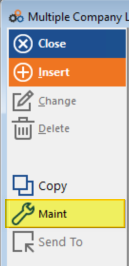
- Utility Menu From the utility window click 'Manage Multicom'. From the Multiple Company Listing window, click Maint to open the Multi-Company Maintenance Utility.
Available Functions
The Multi-Company Maintenance Utility provides four main functions:
| Function | Description |
|---|---|
| Function 1: Change Customers Between Multicomp IDs | Change customers from one Multicomp ID to another Multicomp ID. Use the tag feature to select specific customers. |
| Function 2: Refresh Customer Records | Refresh customer records to fill in any missing MulticompID information in related customer fields. |
| Function 2: Change Customers Between Multicomp IDs | Change customers from one Multicomp ID to another Multicomp ID. Use the tag feature to select specific customers. |
| Function 3: Import CSV File | Import a Customer.csv file into your dealer database with updated Multicomp IDs. |
| Function 4: Change Subset of Multicomp IDs | Change an entire subset of Multicomp IDs from one ID to another ID. |
CSV Import Requirements
When using Function 3 to import a CSV file, the file must be structured as follows:
| Column | Field Name |
|---|---|
| Column 1 | ACCOUNT |
| Column 2 | MULTICOMP_ID |
⚠️ IMPORTANT
Perform a full backup of TPS files before importing any CSV file. You will also need to create a Master MulticompID record in Utilities > Manage Multicomp prior to or after the import.
Need Additional Help?
Our Customer Success team is here to assist you.
Phone: 847-405-9517 x1
Email: customer.success@alarmbills.com
Copyright © 1999–2026 Cornerstone Billing Solutions. All rights reserved.
Was this article helpful?
That’s Great!
Thank you for your feedback
Sorry! We couldn't be helpful
Thank you for your feedback
Feedback sent
We appreciate your effort and will try to fix the article