Overview
You can now mass update customer equipment records without having to go into each record individually to change it.
This utility on the customer equipment list saves time when you need to update multiple equipment records with the same information.
How to Mass Update Equipment Records
- Navigate to the Customer Equipment List. Open the customer equipment list for the account you want to update.
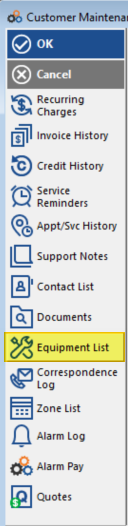
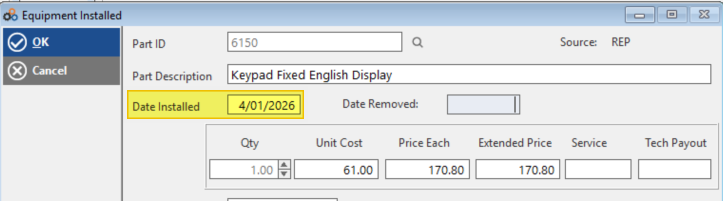
- Enter the New Value. Click into the field you want to update (e.g., New Install Date) and enter the new value.
Example: To update the install date from 2/13/26 to 4/3/26, click into the New Install Date field and enter 4/3/26.
- Select Records to Update. Tag one or more records by clicking the checkbox next to each item you want to update. You can select multiple records at once.
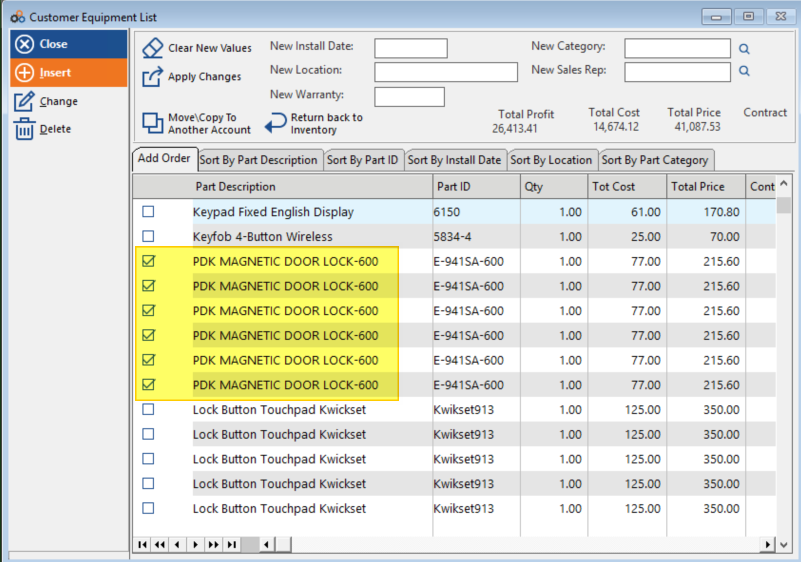
- Apply the Changes. Click Apply Changes to update all selected records with the new value. All tagged records will be updated simultaneously with the information you entered.
Benefits
This utility allows you to:
- Update multiple equipment records at once
- Save time on bulk updates
- Ensure consistency across equipment records
- Avoid repetitive data entry
Need Additional Help?
Our Customer Success team is here to assist you.
Phone: 847-405-9517 x1
Email: customer.success@alarmbills.com
Copyright © 1999–2026 Cornerstone Billing Solutions. All rights reserved.
Was this article helpful?
That’s Great!
Thank you for your feedback
Sorry! We couldn't be helpful
Thank you for your feedback
Feedback sent
We appreciate your effort and will try to fix the article