Overview
This article explains how to send a Central Station Notice directly from a subscriber account in Cornerstone. If you have an email address stored in your Central Station information, you can use the Correspondence Log to email updates to the Central Station — with or without a direct integration in place.
How to Send Central Station Notices
Follow these steps to send a notice to your Central Station from within a subscriber account:
- Open the Customer Record for the subscriber you want to communicate about.
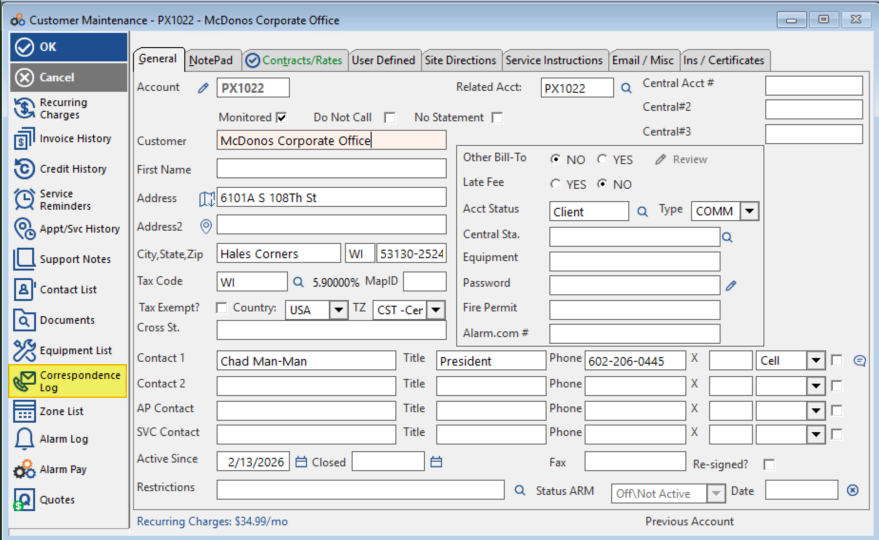
- Click the Correspondence Log button on the Customer Record.
- Click the Central Station Notice button within the Correspondence Log.
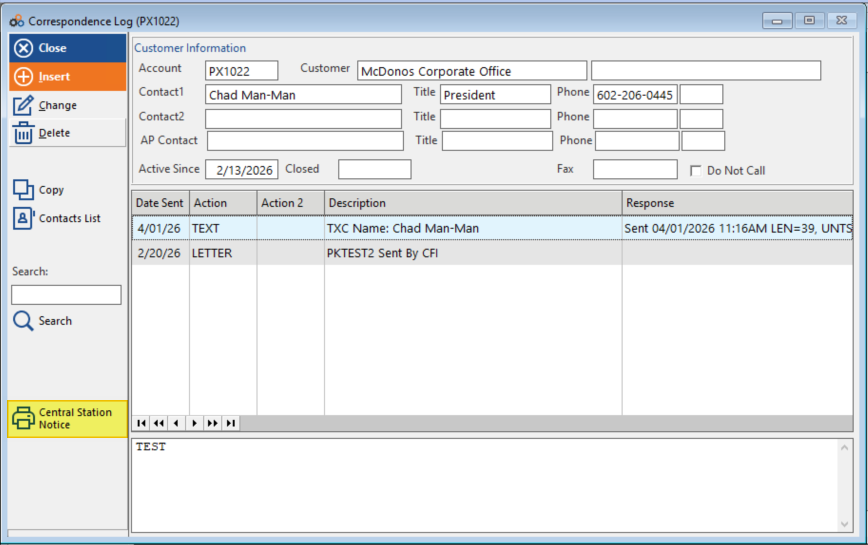
- Enter the information you wish to email to the Central Station.
- Send the notice. Your communication will be recorded automatically in the Correspondence Log.
⚠️ IMPORTANT
If you include any sensitive information for a subscriber account, such as Passcode you will be required to zip and password protect the email before sending. To be PCI Compliant we do not send PII (Personally Identifiable Information ) via email unless it is password protected.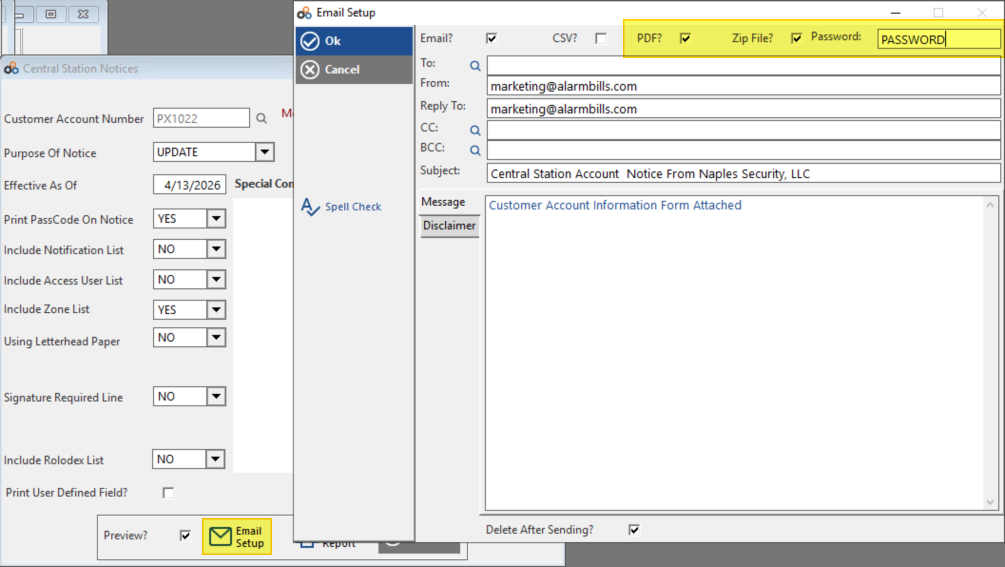
When to Use This Feature
The Central Station Notice feature is valuable in the following situations:
- Cornerstone is not integrated with your Central Station for communicating subscriber data.
- You are set up for API integration but want all changes made at the Central Station level.
Supported Integrations
Cornerstone currently maintains direct integrations with the following Central Stations:
| Central Station |
|---|
| Affiliated |
| Alarm.com |
| AvantGuard |
| Criticom / CMS |
| COPS |
| Legacy Bold |
| NMC |
| Rapid Response |
| USA Central |
| UCC |
Need Additional Help?
Our Customer Success team is here to assist you.
Phone: 847-405-9517 x1
Email: customer.success@alarmbills.com
Copyright © 1999–2026 Cornerstone Billing Solutions. All rights reserved.
Was this article helpful?
That’s Great!
Thank you for your feedback
Sorry! We couldn't be helpful
Thank you for your feedback
Feedback sent
We appreciate your effort and will try to fix the article