Using service tickets can be complex; this guide will help you make the most of the features available.
Download a copy of the Service Ticket Work Flow Diagram as a PDF (Zoomable) - Service Work Flow - PDF
Step-by-Step Guide to Creating A Service Ticket
- From the customer account click > Appt/Svc History
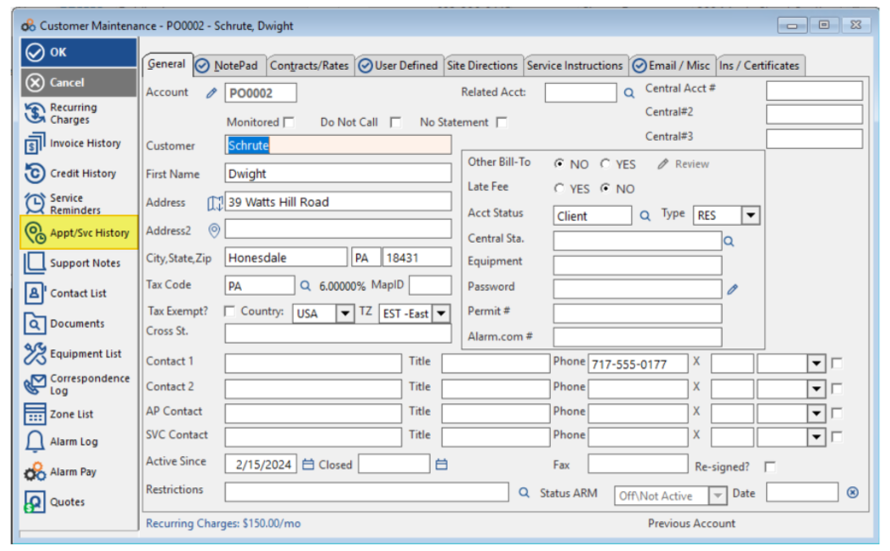
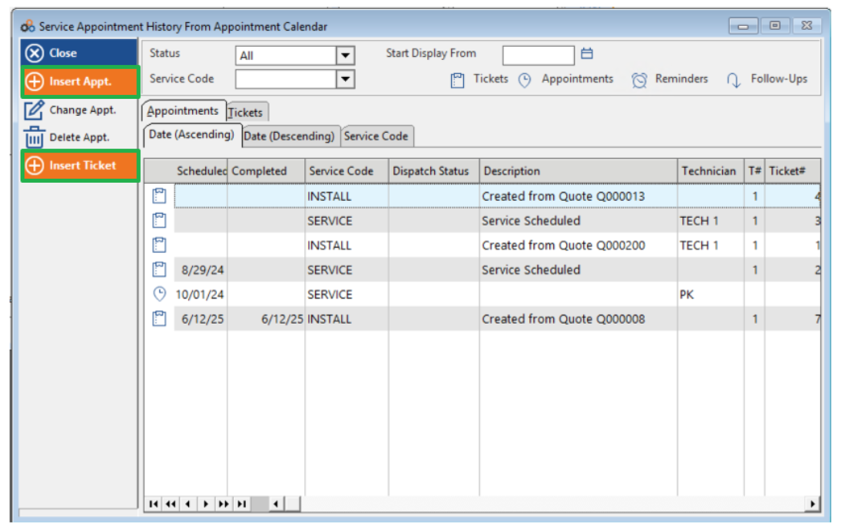
- Click > Insert Appt to create an appointment or Insert Ticket to create a service ticket
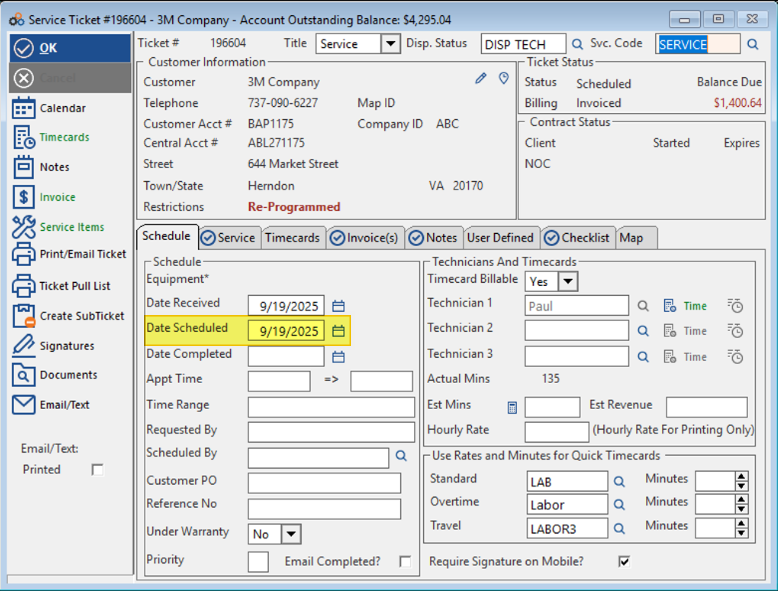
- Next enter a scheduled date for the date of service
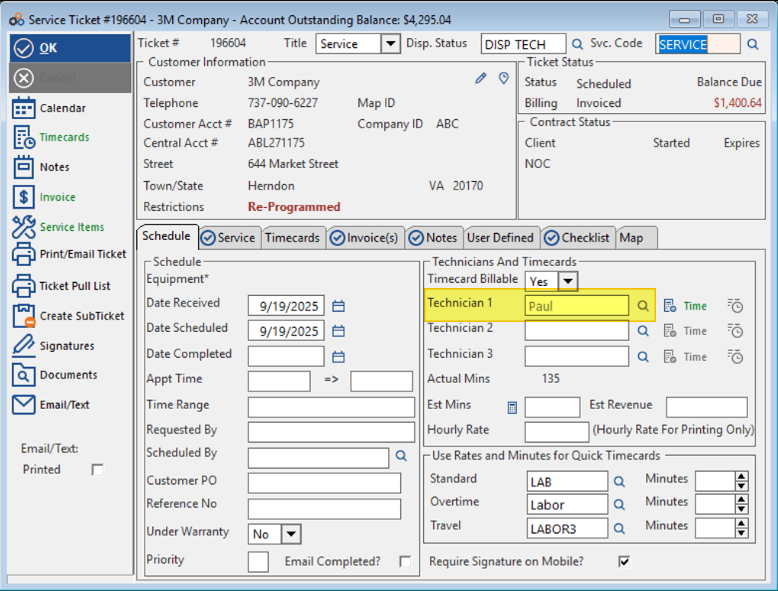
- Then assign one or more technicians
Step 3: Using the template in your article
Step 1: Access the template list view
- Explain the relevant actions to be performed
Step 2: Populate the content in the template
- Explain the actions under this step
Step 3: Use the template in your article
- Explain the actions under this step
Use the callout cards to highlight anything important about any of the steps mentioned above
Add a video to help users understand the steps visually
Was this article helpful?
That’s Great!
Thank you for your feedback
Sorry! We couldn't be helpful
Thank you for your feedback
Feedback sent
We appreciate your effort and will try to fix the article