Overview
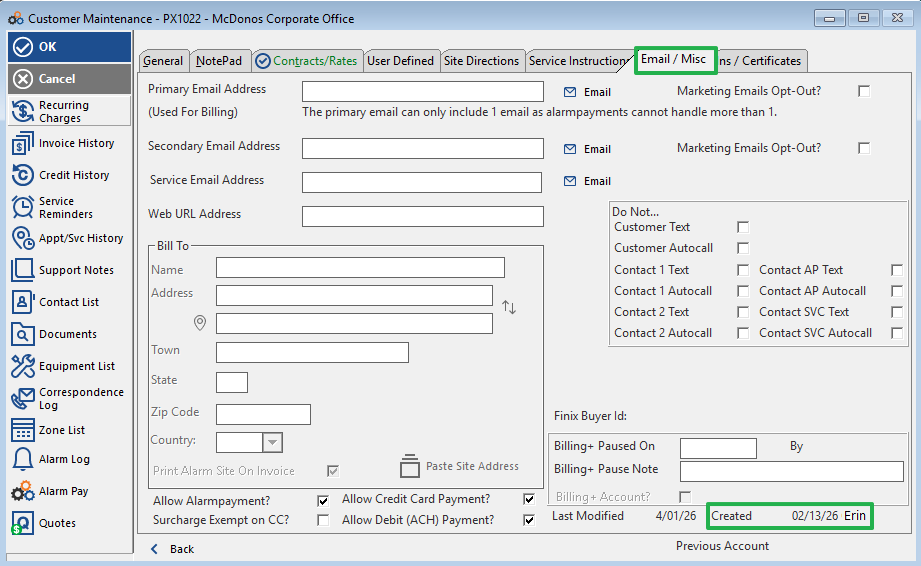
This article explains how to find the creation date of a customer account and identify the user who created it. This information is located within the Email/Misc. tab of the Customer Account record.
Steps to Find the Account Creation Date & Creator
- Navigate to the Customer Account you want to review.
- Select the Email/Misc. tab.
- Look in the bottom-right corner of this tab.
- You will find the account's creation Date and the User ID of the person who created it.
Need Additional Help?
Our Customer Success team is here to assist you.
Phone: 847-405-9517 x1
Email: customer.success@alarmbills.com
Copyright © 1999–2026 Cornerstone Billing Solutions. All rights reserved.
Was this article helpful?
That’s Great!
Thank you for your feedback
Sorry! We couldn't be helpful
Thank you for your feedback
Feedback sent
We appreciate your effort and will try to fix the article